Git & GitHub for Data Science
Version Control for Analysis Projects
Why Version Control?
Real scenario:
“I broke my analysis script and need to go back to yesterday’s version”
- Track changes over time
- Collaborate without chaos
- Experiment safely with branches
What is Git?
- Version control system - tracks changes in your files
- Works locally on your computer
- Creates snapshots (commits) of your work
- Like “track changes” for code and data projects
What is GitHub?
- Remote hosting for Git repositories
- Backup in the cloud
- Share and collaborate
- Portfolio of your work
Key distinction: Git = local, GitHub = remote
Git Basics
What Git Tracks
✅ DO track:
- Code (.py, .R files)
- Notebooks (.ipynb, .qmd)
- Documentation (README, notes)
- Configuration files
❌ DON’T track:
- Large datasets
- API keys/credentials
- Generated outputs
Core Concepts
Repository (repo): Project folder Git tracks
Commit: Snapshot of your work at a point in time
Branch: Separate line of development (we’ll keep it simple today)
Basic Workflow
1. Modify files
2. Stage changes (git add)
3. Commit changes (git commit)
4. Repeat!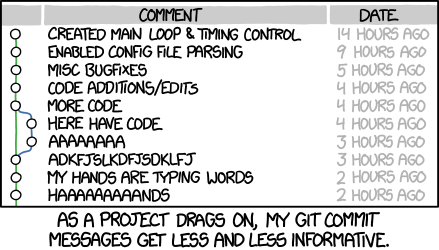
Essential Commands
The 5 Commands You Need
Live Demo
Creating a simple analysis repository
GitHub for Collaboration
Connecting to GitHub
Two new commands:
Typical Workflow
- Create repo on GitHub
- Connect local repo to GitHub
- Push your work
- Collaborate with others
- Pull their changes
Demo: Push to GitHub
# Connect to GitHub (one time)
git remote add origin https://github.com/username/repo.git

# Push your commits
git push -u origin main
Now anyone can see and use your analysis!
Data Science Specifics
What to Commit
Essential files:
- Analysis scripts (
.py,.R) - Jupyter/Quarto notebooks
requirements.txtorrenv.lockREADME.mdwith project description- Documentation
What NOT to Commit
Use .gitignore for:
- Data files (
*.csv,*.parquet) - usually too large - Credentials (
.env, API keys) - Output files (plots, HTML reports)
- Virtual environments (
venv/,renv/) - Jupyter checkpoints (
.ipynb_checkpoints/)
The .gitignore File
Create .gitignore in your repo:
# Data
*.csv
*.parquet
data/

# Credentials
.env
secrets.json

# Outputs
*.html
figures/

# Python
__pycache__/
venv/
Jupyter Notebooks
Challenge: Notebooks contain outputs and metadata
Tips:
- Clear outputs before committing (Cell → All Output → Clear)
- Use tools like
nbstripoutto automate - Or use Quarto instead (.qmd files are cleaner!)
Hands-On Exercise
Your Task (10 minutes)
- Create a new directory for a simple analysis
- Initialize Git (
git init) - Create a basic notebook or script
- Make your first commit
- Make a change and commit again
- Create a GitHub repo and push
Bonus: Add a .gitignore file
Wrap Up
Key Takeaway
Commit early, commit often, write clear messages
Good commit message: "Add data cleaning function for missing values"
Bad commit message: "updates" or "fixed stuff"
Resources
- Git Documentation
- GitHub Skills
- Happy Git with R (works for Python too!)
- Software Carpentry Git Lesson
Questions?
Remember: Everyone struggles with Git at first. It gets easier with practice!